Reusable Screenshot Layouts
Create one consistent visual structure and reuse it across the whole screenshot sequence instead of redesigning each slide independently.

Turn raw app screens into a complete store-listing campaign with reusable layouts, device mockups, background styling, localization and high-quality exports. Build one visual system for your app and adapt it across iPhone, iPad, Android phone and tablet marketing assets.
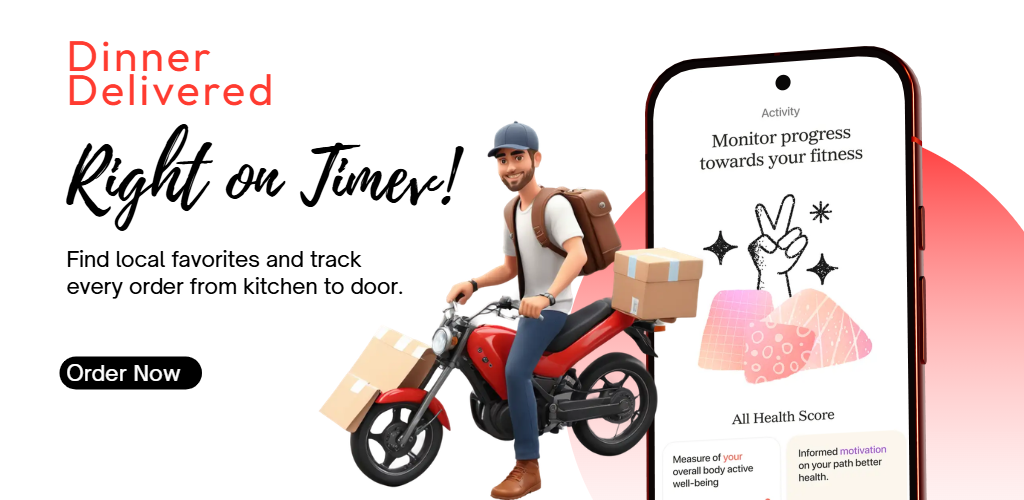
A useful app screenshot generator should help with more than placing a screenshot inside a phone frame. RenderDuck is built around the full campaign: product UI, message hierarchy, device presentation, visual consistency, localization and export.
Create one consistent visual structure and reuse it across the whole screenshot sequence instead of redesigning each slide independently.
Present real product UI inside phone and tablet compositions that support the message without hiding important interface details.
Pair each product screen with a concise user benefit so every screenshot has a clear purpose inside the campaign.
Keep the design system consistent while adapting screenshot copy and spacing for additional languages and markets.
Use brand colors, gradients or images to support the app while keeping the interface and headline easy to scan.
Export clean marketing graphics for store listings and keep the underlying project structure reusable for future releases.
Start with the actual product experience, then build a visual sequence around the strongest reasons someone should understand or try the app.
Select a template or layout that fits the category, tone and platform experience you want to communicate.
Use authentic product UI and match each screen with a feature, workflow or benefit worth showing.
Align typography, device treatment, spacing, background logic and message hierarchy across the complete set.
Prepare platform or language variations when needed, review the sequence and export the finished assets.
Store visitors do not evaluate each screenshot in isolation. They swipe through a sequence. A reusable campaign system makes that sequence clearer and easier to maintain.
Use one campaign direction as the foundation, then adjust the composition for the device and store experience you actually support.
Build Android phone or tablet listing graphics while preserving the same visual identity used elsewhere in the launch campaign.
Adapt the campaign for iPhone and iPad while keeping typography, message hierarchy and brand direction consistent.
Add dimensional phone presentation when the campaign needs stronger depth, visual movement or hero-style impact.
Reuse the layout across languages while adjusting headline length, spacing and text direction where the market requires it.
Keep the overall design system but show the interface that users will actually experience on each supported device category.
Reuse the same device presentation and marketing direction for landing pages, release announcements and social content.
A high-value screenshot set should help people understand the app progressively. Each slide should introduce something new instead of repeating the same generic marketing line.
Use the opening slide to make the strongest user benefit understandable before people need to study the rest of the listing.
Pair marketing copy with authentic interface screens so the visual promise is supported by something users can recognize inside the app.
Keep the main message concise enough to scan at preview size and leave enough room for the product UI to remain the hero.
Move from the main outcome into important workflows, differentiators and secondary benefits instead of repeating one message.
Reuse typography, spacing, backgrounds and device treatment so the set feels like one campaign rather than unrelated images.
A reusable project makes it faster to replace app screens or update copy when the product changes without rebuilding every asset.
Use the broad app screenshot generator as the main campaign hub, then move to a dedicated page when you need a specific platform, free workflow, 3D presentation or device mockup.
Create store-listing graphics with a free browser-based workflow and clean standard exports.
Open free generator →Create Android phone and tablet screenshots with a Google Play-focused campaign workflow.
Create Google Play screenshots →Create iPhone and iPad screenshot campaigns with App Store-focused design and localization.
Create App Store screenshots →Turn app screens into dimensional phone compositions with perspective and device-focused presentation.
Create 3D screenshots →Create device-focused app presentations for screenshots, websites and product launch graphics.
Create phone mockups →Start from reusable app marketing layouts instead of building every campaign from an empty canvas.
Browse screenshot templates →Common questions from developers, designers and app marketing teams creating store-listing screenshot campaigns.
An app screenshot generator helps turn raw product screens into marketing graphics by combining real app UI with copy, backgrounds, device presentation and reusable layouts for app store listings.
Yes. RenderDuck is designed for cross-platform app screenshot workflows so you can create one visual direction and adapt it for iOS and Android campaigns.
Yes. Device mockups can help present the app interface more clearly and create stronger visual structure, especially when the frame supports rather than hides the product UI.
Yes. A reusable screenshot system can be adapted for additional languages while keeping the overall visual direction consistent and adjusting copy length or spacing where needed.
Yes. RenderDuck also supports 3D device-based presentation for campaigns that need stronger depth and visual impact.
The screenshots should share a consistent visual system, but each slide can use a slightly different composition when that helps explain a new feature or workflow more clearly.
Start with a strong user outcome or core product benefit and support it with enough visible interface to make the message credible and easy to understand.
Yes. A reusable campaign structure makes it easier to replace product screens, update headlines and refresh the listing without rebuilding every asset from zero.
RenderDuck is designed to provide clean app marketing exports without placing a RenderDuck watermark over the finished standard design.
Add your app screens, build a reusable visual system and prepare professional marketing graphics for App Store, Google Play and your wider launch campaign.
Start Free Designing