
RenderDuck vs AppLaunchpad: Which Fits You?
RenderDuck and AppLaunchpad are both built around App Store and Google Play screenshot creation. AppLaunchpad emphasizes a large template library and automatic resizing. RenderDuck emphasizes instant theme changes, reusable local project files, flexible 3D phone customization and a free-first workflow.
APP SCREENSHOTS
APP STORE
GOOGLE PLAY
THEMES
LOCALIZATION
3D PHONES
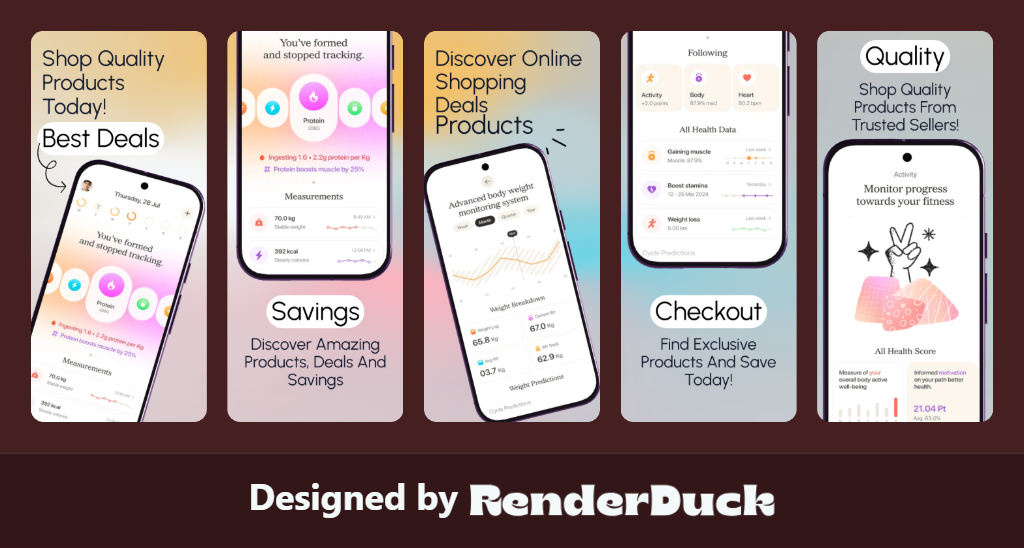
3D Screenshot Design Gallery
Clean, proportional designs for the Google Play Console.
Head-to-Head Comparison
Both tools can produce App Store and Google Play screenshot sets. Choose based on whether you value automated library templates or a theme-driven, 3D-focused workflow.
| Comparison Area | RenderDuck | AppLaunchpad |
|---|---|---|
| Primary Purpose | Complete app visual creation platform Create App Store, Google Play, social media, marketing creatives and professional 3D app presentations. | Screenshot-focused tool Mainly designed for creating app-store screenshots and mockups. |
| 3D Device Models | Real editable 3D devices Create professional 3D presentations with complete control over the device. | Device mockup workflow Primarily works with prepared device/mockup presentations rather than a full 3D editing workspace. |
| 3D Controls | Full 3D control Adjust pitch, yaw, roll, perspective, scale, position, screen corners, shadows and glow. | Limited device customization Does not provide the same level of direct 3D model control. |
| Theme Switching | Instant project-wide themes Change the complete visual style of your screenshot project in seconds. | More manual styling Designs rely more on individual editing and template customization. |
| Design Freedom | Build your own design Freely combine 3D devices, text, images, backgrounds, graphics and effects. | Template-oriented workflow More dependent on available templates and editor elements. |
| Background Design | Advanced backgrounds Create gradients, mesh backgrounds, custom images, colors and creative compositions. | Standard background editing Background customization is available within the template/editor workflow. |
| Creative Assets | 1M+ creative assets Access a huge collection of graphics and creative resources for app designs. | Smaller asset library Provides a more limited collection of built-in design assets. |
| Localization | 249-language workflow Create localized screenshot designs from the same project for global app launches. | Limited localization workflow Does not offer the same complete 249-language screenshot production workflow. |
| Bulk Translation | Built for large-scale localization Reuse your project and create multiple language versions efficiently. | No comparable bulk screenshot translation workflow |
| Google Play | Complete Play Store visual workflow Create screenshots, promotional graphics and store-ready visual assets. | Screenshot focused Primarily focused on creating Google Play screenshots. |
| App Store | Complete App Store workflow Create professional iPhone and iPad screenshot designs and marketing visuals. | App Store screenshots Focused primarily on screenshot creation. |
| Play Store Policy Checking | Guideline checking Review your visual content against important Play Store guidelines and identify potential issues before publishing. | No comparable policy-checking workflow |
| Screenshot Compliance | Designed with store requirements in mind Helps you prepare cleaner, more suitable store creatives before submission. | Design and export focused Primarily provides tools for creating screenshots. |
| ASO Visuals | ASO-friendly screenshot creation Create feature-focused layouts, headlines and visual storytelling for your store listing. | Screenshot creation Mainly focused on designing the screenshot itself. |
| Social Media | Store + social + marketing Reuse your app visuals for Instagram, Facebook and other promotional formats. | Primarily store focused Social media creation is not the main workflow. |
| Custom Canvas | Flexible custom designs Create custom-size graphics beyond standard App Store and Google Play screenshots. | More screenshot focused Primarily designed around predefined store screenshot formats. |
| Reusable Projects | Design once, reuse everywhere Reuse the same project for different languages, stores, campaigns and marketing formats. | Template/project workflow Reuse is mainly centered around its screenshot editor. |
| Editable Templates | Fully customizable templates Change layouts, devices, text, backgrounds, colors, effects and creative elements. | Template-based editing Customize existing templates and layouts. |
| Multiple Screens | Complete screenshot campaigns Keep your entire screenshot set visually consistent from one project. | Screenshot sets Create multiple store screenshots using the available workflow. |
| Export Formats | PNG, JPG & WebP Export clean, high-quality designs for different publishing and marketing needs. | Standard exports Export designs created through the platform. |
| Watermark | No RenderDuck watermark Create clean professional visuals for your app. | Plan-dependent workflow Export capabilities depend on the selected plan. |
| Custom Assets | Use your own assets Upload and combine your own screenshots, images, SVGs and graphics. | Editor-based assets Work primarily within its available design and template workflow. |
| Marketing Creatives | Go beyond store screenshots Create promotional graphics, banners, feature visuals and campaign creatives. | Mainly screenshot creation The core workflow is centered around app screenshots. |
| Overall Workflow | Design → 3D → Customize → Localize → Check → Export → Promote One platform for the complete app visual workflow. | Design → Customize → Export Primarily focused on app screenshot creation. |
| Best For | Developers, designers, ASO professionals, agencies and app marketers Build, localize and promote your app with one flexible platform. | Users looking for screenshot generation Suitable when the main requirement is creating app-store screenshots. |
| Overall Value | 🚀 More tools. More control. More possibilities. RenderDuck combines 3D design, screenshots, localization, policy checking, store assets, social content and marketing in one workflow. | Screenshot-focused solution Primarily solves the app screenshot design requirement. |
Are RenderDuck and AppLaunchpad both app screenshot generators?
Yes. Both are specialized tools for creating App Store and Google Play screenshot graphics rather than general-purpose design platforms.
What makes RenderDuck different?
RenderDuck emphasizes instant theme switching, reusable local project files, adjustable 3D phone presentation, free-first localization and clean standard exports without a watermark.