
RenderDuck vs AppMockUp: Which Fits You?
RenderDuck and AppMockUp are both dedicated tools for App Store and Google Play screenshot creation. AppMockUp stands out with a powerful free browser editor, master-and-instance screenshot architecture, panoramic backgrounds and connected device layouts. RenderDuck differentiates with instant screenshot themes, built-in localization, realistic 3D phone presentation and a broader app-marketing workflow.
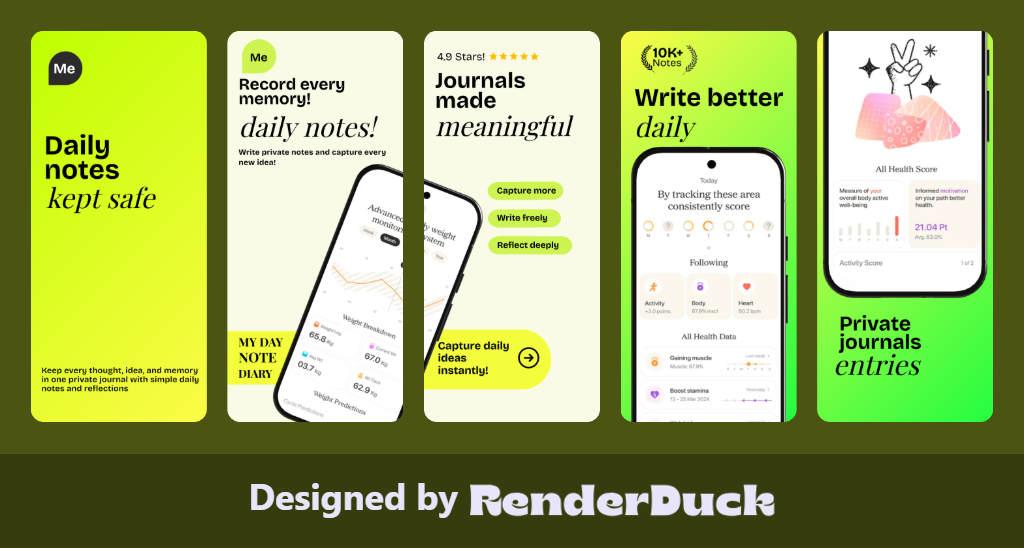
APP STORE
GOOGLE PLAY
THEMES
PANORAMIC
LOCALIZATION
3D PHONES
3D Screenshot Design Gallery
Clean, proportional designs for the Google Play Console.

| Comparison Area | RenderDuck | AppMockUp |
|---|---|---|
| Primary Purpose | Complete app visual creation platform Create professional store screenshots, 3D presentations, marketing creatives and social media designs. | Basic app mockup generation Mainly focused on placing app screenshots into device mockups. |
| 3D Device Editing | Real editable 3D devices Full control over device presentation, angle, scale, position, shadow and glow. | No comparable full 3D editing workflow Primarily relies on ready-made mockup presentations. |
| Design Customization | Full creative control Customize devices, text, layouts, backgrounds, graphics, effects and themes. | Limited customization Mainly designed around existing mockup styles. |
| App Store Screenshots | Complete screenshot creation workflow Create polished, multi-screen App Store designs. | Basic mockup use Not a complete screenshot-design workflow comparable to RenderDuck. |
| Google Play Screenshots | Dedicated Google Play workflow Create store-ready screenshot designs and visual assets. | Limited / not the main focus Primarily a mockup-generation solution. |
| 249-Language Localization | 249-language workflow Create localized screenshot campaigns from the same project. | No comparable localization workflow |
| Bulk Translation | Designed for scalable localization Reuse projects across multiple languages. | No comparable bulk translation workflow |
| Theme Switching | Instant project-wide themes Change the entire visual direction quickly. | No comparable project-wide theme system |
| Background Design | Advanced creative backgrounds Gradients, mesh, images, colors and custom compositions. | Basic mockup presentation Limited compared with a full design workspace. |
| Creative Assets | 1M+ creative assets Large library for creating unique app visuals. | No comparable large creative asset ecosystem |
| Play Store Policy Checking | Guideline checking Help identify potential Play Store visual/content issues before publishing. | No comparable policy-checking workflow |
| Social Media Designs | Store + social + marketing Reuse app visuals for Instagram, Facebook and other formats. | Not a core feature Primarily focused on mockup generation. |
| Custom Canvas | Flexible custom-size designs Create graphics for stores, social media and marketing campaigns. | Mockup-focused workflow |
| Reusable Projects | Save and reuse complete projects Update screenshots, languages and campaigns without starting over. | Limited compared with a full project workflow |
| Marketing Creatives | Complete marketing workflow Create banners, promotional graphics and app-launch visuals. | Primarily mockups Not designed as a complete app marketing platform. |
| Overall Workflow | Design → 3D → Customize → Localize → Check → Export → Promote | Screenshot → Mockup → Export |
| Overall Capability | 🚀 Complete app visual toolkit One platform for screenshots, 3D, localization, policy checking, store assets and marketing. | Basic mockup-focused solution Useful mainly for simple app mockup presentation. |
Are RenderDuck and AppMockUp both app screenshot generators?
Yes. Both are purpose-built for App Store and Google Play screenshot graphics rather than general-purpose design tools.
What makes RenderDuck different?
RenderDuck emphasizes instant theme switching, reusable local project files, adjustable 3D phone presentation, free-first localization and clean standard exports without a watermark.