
App-Focused Layouts
Create screenshot graphics around real mobile interfaces instead of adapting a generic poster or social-media canvas.
Create polished mobile app screenshots directly in your browser with RenderDuck. Start free, choose an app-focused design, add your real product screens, customize the phone presentation, change the theme, prepare localized versions, and export clean graphics for your App Store, Google Play and app marketing workflow.
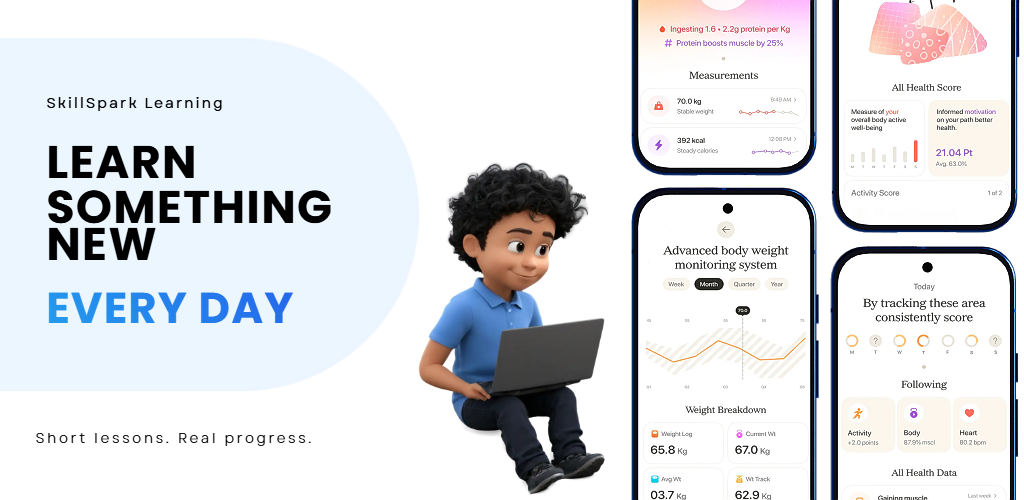
A good app screenshot tool should do more than place an image inside a phone frame. RenderDuck is designed around the full store-listing workflow: multiple screens, device presentation, feature copy, themes, localization and reusable projects.
Create screenshot graphics around real mobile interfaces instead of adapting a generic poster or social-media canvas.
Start with Play Store-focused project types including phone screenshots and other supported Google Play visual assets.
Create Apple-focused designs and use iPhone presentation when you are preparing App Store marketing screenshots.
Use editable phone presentation and 3D poses when you want more depth than a basic flat device frame.
Restyle the screenshot project into a different visual direction more quickly instead of rebuilding every page manually.
Prepare translated screenshot variants for different markets while keeping the overall design structure consistent.
RenderDuck is designed to keep the basic workflow straightforward even when you are creating a complete multi-page store screenshot campaign.
Select the store, asset type or design size you want to create.
Upload the real interface screenshots from your app.
Edit the phone, text, background, theme and screenshot sequence.
Review the finished set and download the pages you need.
RenderDuck provides a free starting workflow for creating mobile marketing graphics. Premium functionality may also be available, but you can begin designing without committing to a paid workflow first.
The same app can need different visual assets depending on the store and device you are preparing. RenderDuck keeps these workflows related without forcing every design into one generic canvas.
Create Android-focused screenshot projects and other supported Play Store visual assets from the RenderDuck project selector.
Create iPhone-focused product-page graphics using an Apple-oriented device presentation and app-marketing layout.
Start from the type of device asset you are actually preparing instead of stretching one composition into every format.
Use these RenderDuck pages when you need a more specific store, 3D mockup or step-by-step screenshot workflow.
Explore the broader screenshot creation workflow.
Open app screenshot generator →Create Play Store-focused app screenshots.
Open Google Play generator →Create App Store screenshots with iPhone-focused presentation.
Open App Store generator →Create screenshots with device perspective and depth.
Open 3D generator →Follow the basic RenderDuck workflow.
Read the guide →Start from an existing app-focused visual direction.
Browse templates →A free app screenshot generator helps you turn raw mobile app screens into designed marketing graphics for store listings, websites, launches and other app-promotion uses without starting every composition manually.
RenderDuck has a free starting workflow with optional premium functionality. You can begin creating app screenshot designs before deciding whether you need premium features.
Yes. RenderDuck includes Play Store-oriented project options so you can create phone screenshots and other supported Google Play visual assets.
Yes. You can create App Store-oriented screenshot projects and use iPhone presentation for Apple-focused marketing graphics.
Yes. RenderDuck supports editable 3D phone presentation so you can use straight, angled and other device poses depending on the design.
Yes. RenderDuck supports a localization workflow for adapting screenshot copy into multiple languages while keeping the visual system consistent.
RenderDuck standard exports are designed without a RenderDuck watermark over the finished graphic.
Yes. Reusable projects are useful when you need to update screenshots for a new release, new language or refreshed marketing campaign.
Start with an app-focused project, add your real product screens, customize the device and visual theme, prepare the full screenshot sequence, and export your finished app-marketing graphics.
Open Free App Screenshot Generator